
Wondering how to set up a silent auction quickly and without stress? With Bid Beacon, you can launch a fully functional online silent auction in under 30 minutes—even if it’s your first time running one.
Key Takeaways
- You can set up a complete online silent auction in under 30 minutes using Bid Beacon.
- Online silent auctions reduce admin work, increase bidding activity, and simplify payment collection.
- Bid Beacon allows you to customize branding, automate bidding, and securely process payments through trusted payment providers.
- Promotion tools like shareable links, access codes, and QR codes make it easy to drive participation.
What Is an Online Silent Auction?
A silent auction is a fundraising event where participants place bids privately—traditionally on bid sheets, but increasingly through online platforms—without a live auctioneer announcing bids.
Online vs. In-Person Silent Auctions
Online silent auctions allow bidders to participate from anywhere, receive bid notifications, and place automatic bids—often resulting in higher final bid values. In-person silent auctions rely on paper bid sheets and require guests to be physically present, which can limit participation and increase admin work.
How to Set Up a Silent Auction: Step-by-Step
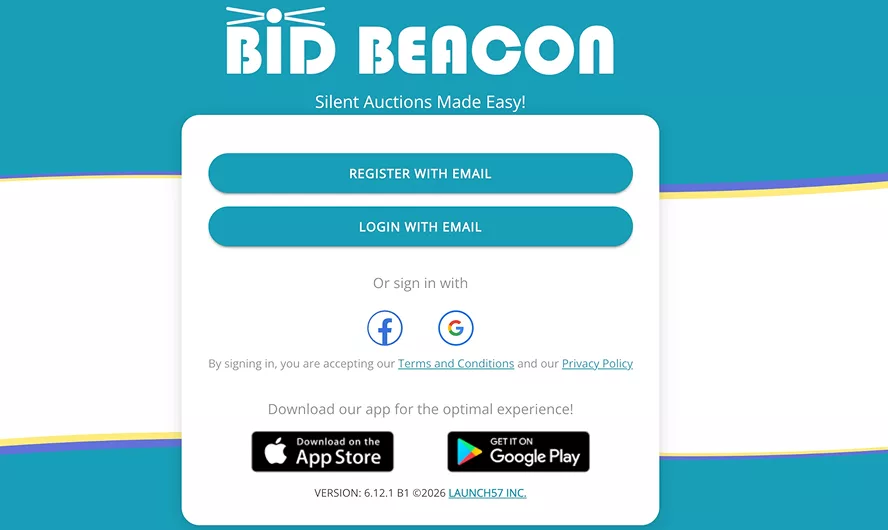
Step 1: Register
The very first step in setting up a silent auction is to use your browser to set up a profile. You’ll need to create a profile that includes:
- Your name
- Your email address
- A password
- A display name, which can be your actual name or something else
- And optionally include your cellphone number
From there, it’s as simple as clicking “Create Account,” and you’re ready to use Bid Beacon and start hosting silent auctions online.
Step 2: Create Your Silent Auction
Once you’ve got a profile set up and are ready to start actually setting up your silent auction, the process only gets easier.
You’ll be greeted by Bid Beacon’s dashboard and can watch an intro video if you’d like a little more information before you get started. From there, click “Create an Auction,” located on the right side of your screen.
This will take you to the Online Auction Setup Wizard, where you’ll go through 4 easy steps to get your auction up and running.
- Provide your auction name, as well as start and end times.
- Provide organization details, including the name of your organization, organizer, country where your auction is taking place, and state or province.
- Specify what type of auction you’d like to run. You can run a demo auction to test out Bid Beacon’s features or get started with a full auction using all the platform’s features.
- Review what you’ve submitted and then go to your auction’s dashboard.
It really is that simple to create an online silent auction with Bid Beacon. 4 easy steps, and you’re ready to get started adding items, customizing your branding, and promoting your silent auction.
Step 3: Set Up Your Auction with Branding, Items & More
Now comes the fun part. Once you’ve created your auction, you can start customizing it and adding items that will get potential bidders excited. That, in turn, should help you reach your fundraising goals.
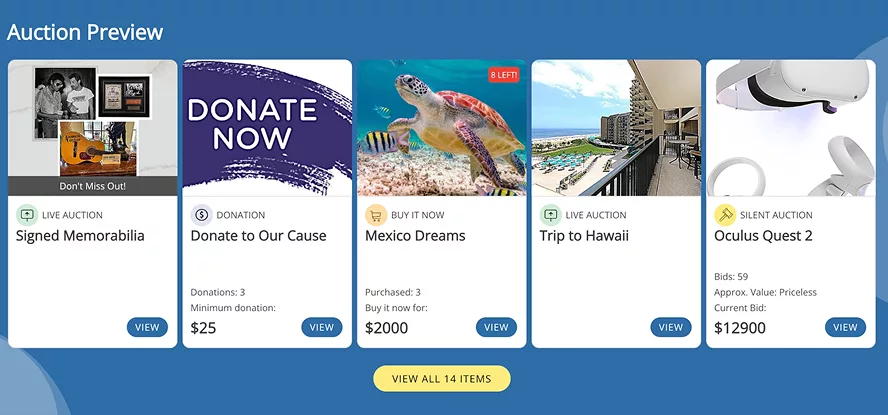
As you can see from this sample auction, your auction page is almost entirely customizable. You can create a unique page with customizable branding that’s tied to your organization or the specific fundraiser you’re hosting, while providing guests with all the information they need about items, bidding, and payment options.
Bid Beacon’s easy-to-use dashboard makes it simple to:
- Add admins
- Add items with a photo or video attached to get people excited
- Set up max bidding, which allows people to automatically bid on an item up to a pre-set maximum price
- Choose what bidding type your guests will use
- Customize your auction site’s branding
- Invite guests
- Adjust the end time of your auction
Step 4: Set Up Payment Settings
Your payment settings are going to determine how winners pay for their items, so it’s obviously an important step in setting up a silent auction.
Our payment guide provides detailed information on each option and how to set them up. The organization’s default payment provider is Express Banking via Stripe Connect, which provides the highest level of security for payment processing.
To set up payment, go to the Payment Settings option on the left-side menu, and you will be asked to provide details, including:
- Phone number
- A verification code that will be texted directly to your phone
- Your country
- Your type of business, either individual, a company, or a non-profit
Each type of business will then be prompted to provide different information, but it’s really as easy as filling out each step. Additional payment providers are supported as well, such as Square, PayPal, and the non-Connect version of Stripe. For auctions that want to collect payments offline, that is an option, too.
Step 5: Get the Word Out
Promotion is one of the most vital steps in setting up a silent auction. After all, if people don’t know it’s taking place, how are they going to place bids? Once you’ve got your silent auction ready, it’s time to spread the word and start getting people excited.
Bid Beacon helps you do this in a number of easy ways:
- With a link that can be posted on social media and included in emails, so people can simply click and visit your auction page directly.
- The Access Code is great for people who already have a Bid Beacon account, and especially useful to share with people who have participated in previous auctions you’ve hosted.
- Bid Beacon provides a unique QR code that can be printed out and included in marketing materials, on programs, or anywhere else you might be looking to get the word out.
- For returning administrators, you can also invite guests from previous auctions you ran on Bid Beacon, making it effortless to engage with past supporters.

How Fast Can You Start Your Silent Auction?
Bid Beacon is used by organizations globally to run silent auctions for schools, charities, sports teams, and community fundraisers, helping them raise more while reducing administrative work.
Unlike other silent auction platforms, Bid Beacon doesn’t require a meeting before you can get started. You can get going completely on your own, and at any time, without our team.
FAQ
How long can a silent auction run for?
With Bid Beacon, you can set up online silent auctions to run for up to 365 days.
How long do I have to set up my silent auction?
While setting up a silent auction can be done quickly, there’s no limit on the amount of time you have to complete the process. You’ll want to have it finished before your auction gets started, though.
What are the rules of a silent auction?
Silent auction rules typically include a minimum bid amount, bid increments, a clear end time, and a requirement that the highest bid at closing wins. Online silent auctions automate these rules to prevent errors and disputes.
How many items should you have at a silent auction?
Most successful silent auctions include 10-30 items, depending on audience size. A good rule of thumb is to take your number of guests, divide by 2, then divide by 2 again. This helps account for couples who will often bid as one and avoid having a 1:1 ratio of items to guests.